Best 2TB External SSDs (2026): Fast Storage You’ll Actually Carry
A 2TB external SSD is the ‘one drive’ size: big enough for photo/video libraries, game installs, and travel backups — without turning your bag into a brick. Here’s what to buy (and what to dodge) in 2026.

A 2TB external SSD is the rare tech purchase that immediately makes your life calmer: fewer “where did I put that file” moments, faster project shuffles, and backups that don’t feel like punishment.
This is a mixed editorial + buying guide. We’ll recommend what to buy — but we’ll also call out the boring failure modes that ruin the whole point (mystery controllers, cache cliffs, cables that quietly cap speeds, and drives that “work” until they don’t).
SolderMag Take: the best external SSD is the one that behaves like a tool, not a lottery ticket
External SSD marketing is basically: “Up to 2,000MB/s!” in a 48pt font.
What matters more in real use:
- sustained writes (copying 200–800GB is where truth lives)
- thermal behavior (tiny aluminum sticks get hot; hot drives throttle)
- interface honesty (USB 10Gbps vs 20Gbps vs USB4/TB — and what your port actually supports)
- controller + NAND consistency (spec swaps are a thing)
- support/warranty reality (because external drives get dropped, yanked, and abused)
If you only remember one rule: buy the drive that’s boring under load.
Quick rankings (link placeholders)
Affiliate links come later. For now, these are the types of 2TB external SSDs worth targeting.
- Best all‑rounder (works everywhere, fast enough, sane thermals): a reputable USB 10Gbps/20Gbps portable SSD with good sustained behavior (placeholder)
- Best for creators (big sustained writes, less throttling): a USB4 / Thunderbolt external SSD or enclosure-based solution (placeholder)
- Best for iPhone/iPad / on-the-go recording: a compact USB‑C SSD with stable sustained writes + short cable (placeholder)
- Best rugged pick (drop resistance, travel abuse): IP-rated, rubberized model with a real warranty (placeholder)
- Best value (not sketchy): last-year flagship portable SSD at a discount (placeholder)
The three external SSD categories (and why they’re not interchangeable)
1) USB 10Gbps (USB 3.2 Gen 2) — the default smart buy
On paper, USB 10Gbps tops out around ~1,000MB/s real-world after overhead.
In practice, it’s plenty for:
- photo libraries
- travel backups
- music/sample libraries
- general “move big stuff fast” workflows
If your laptop’s ports are a mystery, USB 10Gbps is the safest bet for compatibility.
2) USB 20Gbps (USB 3.2 Gen 2x2) — faster, but compatibility is messy
USB 20Gbps can hit ~1,600–2,000MB/s if your computer supports it.
The problem: many Macs don’t support USB 3.2 Gen 2x2; plenty of PCs do, plenty don’t.
Translation: Gen 2x2 drives are great when matched correctly, but it’s easy to accidentally buy speed you can’t use.
3) USB4 / Thunderbolt — the “I want NVMe-in-a-box” tier
USB4/TB external SSDs (or quality enclosures + a good NVMe drive) can behave more like internal storage:
- higher real throughput
- better sustained performance (depending on design)
- better for pro workflows
But you pay more, and thermals become a real design constraint.
The hidden gotchas (the stuff that makes people hate external SSDs)
Cache cliffs: “fast” until the SLC cache runs out
Many portable SSDs write to a fast cache, then drop to a crawl on long transfers.
What that looks like:
- first 30–100GB: wow, blazing
- next 300GB: why is it now slower than my old hard drive?
This matters a lot if you:
- dump camera cards
- move project folders
- clone drives
- keep a working library on the SSD
Cables and ports silently cap speed
A surprising number of “USB‑C” cables are charging-first.
If you’re not seeing expected speeds, the top culprits are:
- cable only does USB 2.0 / low-speed data
- hub/dongle is the bottleneck
- port supports 5Gbps, not 10/20
- you’re on a front-panel port with bad wiring
Thermal throttling is normal — but it shouldn’t be brutal
Small metal drives get warm. Some get stupid hot and throttle hard.
If your use is “copy 500GB once a week,” throttling is annoying.
If your use is “edit off the drive,” throttling is deal-breaking.
How to choose a 2TB external SSD (by use case)
Scenario A: Travel backup + general storage
Prioritize:
- USB 10Gbps compatibility
- small, light, reliable brand
- good warranty
You can deprioritize:
- absolute peak speed
Scenario B: Creator drive (scratch, edit, large sustained writes)
Prioritize:
- sustained write behavior
- USB4/TB (or a high-quality enclosure)
- thermals (bigger enclosure often means more stable performance)
Avoid:
- tiny “gumstick” drives that throttle after 2 minutes
Scenario C: Work between Mac + Windows + iPad
Prioritize:
- exFAT or a clear formatting plan
- USB‑C cable that’s short and good
- USB 10Gbps as baseline (least drama)
Scenario D: Rugged / field work
Prioritize:
- strain relief (cable/port protection matters)
- IP rating if you’re around dust/water
- warranty that actually covers real use
The buying checklist (make the decision in 2 minutes)
-
What port do you really have?
- USB 10Gbps? USB 20Gbps? USB4/TB?
- If you don’t know, assume USB 10Gbps and buy for compatibility.
-
What’s your transfer style?
- occasional 20–50GB moves → most good drives feel fine
- 200–800GB sessions → you need sustained-write performance
-
Where will it live?
- pocket/bag → smaller is better, but watch thermals
- desk/edit station → slightly larger drives often throttle less
-
Will you edit directly off it?
- if yes, prioritize USB4/TB and proven sustained behavior
-
Do you have a “known good” cable?
- if not, buy a short certified cable and treat it as part of the product
Red flags (don’t buy these unless you like chaos)
- “Up to” headline speeds with no sustained-write data anywhere
- no clear interface labeling (10Gbps vs 20Gbps vs USB4)
- frequent internal component changes without model-number distinction
- runs extremely hot in reviews (hot enough to be uncomfortable)
- weird sleep/wake disconnect complaints (especially on laptops)
- too-cheap 2TB deals from marketplaces with counterfeit/grey stock risk
Practical setup tips (so you don’t sabotage it)
- On macOS/Windows: do a real transfer test (e.g., 200GB folder) — not just a tiny benchmark.
- If it’s a working drive, keep 10–20% free space for performance consistency.
- If you see random disconnects:
- try a different cable
- avoid unpowered hubs
- try a different port
- If you’re using it for backups: have two copies, ideally on two different devices. (External SSDs are not magic.)
Our top picks
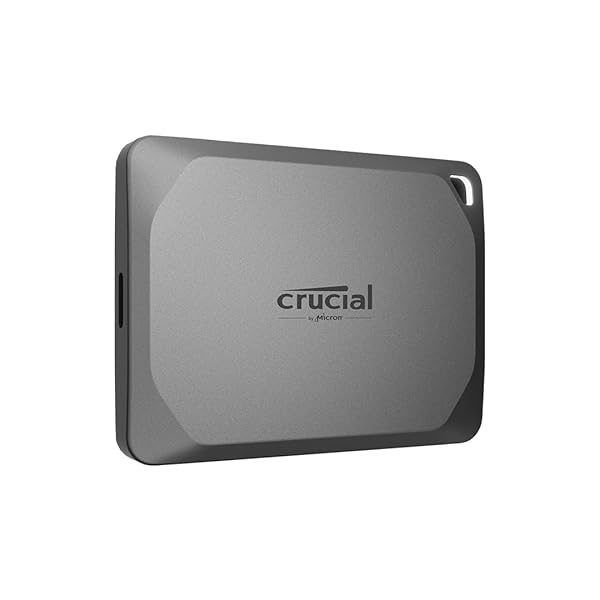 Best overall
Crucial X9 Pro 2TB Portable SSD
 Best for speed
Samsung Portable SSD T9 2TB
 Best rugged
SanDisk Extreme PRO Portable SSD V2 2TB
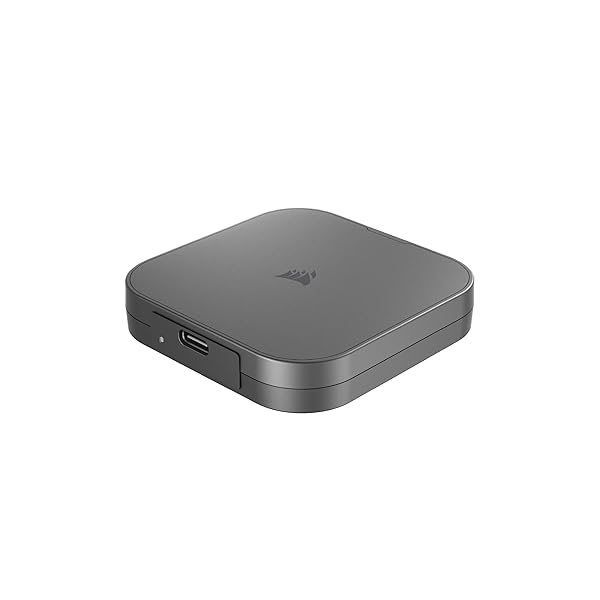 Best value
Corsair EX400U 2TB
Sources
We’ll keep this vendor-agnostic and refresh as models/pricing change:
- USB-IF documentation on USB 3.2 / USB4 naming and throughput realities
- Intel / Thunderbolt technical overviews (where relevant)
- Manufacturer spec sheets (warranty terms, claimed speeds)
- Independent storage testing that includes sustained-write runs and thermal behavior
- OS vendor guidance on exFAT/APFS/NTFS tradeoffs for cross-platform use