Best Soldering Stations (2026): The Ones That Heat Fast, Hold Temp, and Don’t Fight You
A good soldering station is about thermal recovery, tip ecosystem, and ergonomics — not just an LCD that says 350°C. Here’s how to pick one that makes clean joints easy (and rework less miserable).
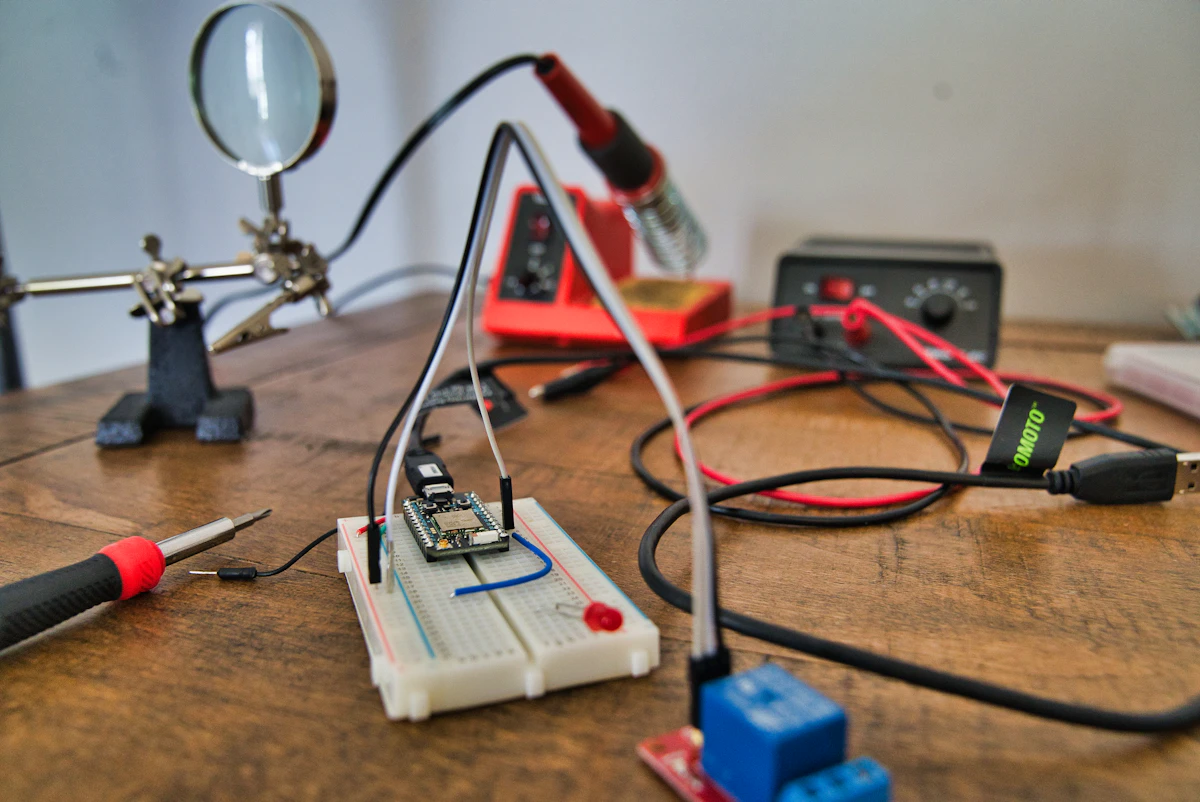
If you’ve ever had a joint that looked perfect until it moved (cold joint), or you’ve watched a pad lift because you stayed on it too long, you’ve already learned the core truth:
Soldering is temperature control + time control.
A better station doesn’t just get hot — it stays hot at the tip when you touch real copper, then gets out of your way.
SolderMag Take: buy for thermal recovery and a tip ecosystem you can live in
People obsess over “max temperature” (450°C!) and ignore what actually changes your day-to-day success rate:
- Thermal recovery (how fast the tip rebounds when it hits a ground plane)
- Tip availability (can you easily get the shapes you need, later?)
- Ergonomics (handle diameter, grip, cable stiffness)
- Sleep/standby behavior (your tips will last longer if the iron isn’t cooking all day)
A “boring” station with common tips and predictable control will beat a flashy no-name unit if you solder more than occasionally.
Who this guide is for
You want a soldering station if you do any of these:
- hobby electronics (Arduino/ESP32, keyboards, pedals)
- prototyping and repairs (jacks, wires, connectors)
- through-hole + occasional SMD (SOIC, QFN with drag soldering)
- anything with big copper pours (PCBs with ground planes, connectors, shield cans)
You can get away with a cheap plug-in iron if:
- you solder once every few months
- you’re doing small through-hole on thin boards
- you accept “it’ll work but it’s annoying” as a lifestyle
The 10 things that actually matter (and why)
1) Power isn’t the point — recovery is
A station can be “80W” on paper and still feel weak if the tip system can’t move heat fast enough.
What you’re trying to avoid:
- touching a joint → tip temp collapses → you wait → flux burns off → you linger → pad delaminates
Good stations (especially cartridge-style) keep the heater + sensor close to the tip, so control loops react fast.
2) Tip system: classic tips vs cartridges
There are two broad families:
Classic (separate heater + tip)
- common on older/entry stations
- can work well, but response is slower
- tips are often cheaper
Cartridge (heater/sensor integrated in the tip)
- typically faster heat-up + better recovery
- usually better for SMD and big thermal loads
- tips cost more, but performance is real
If you plan to solder SMD regularly or fight ground planes: cartridge-style is hard to unlearn.
3) Temperature accuracy (and calibration) matters less than stability
The number on the screen is not the joint.
What matters is:
- stable regulation
- repeatable behavior across tips
- a station that doesn’t wildly overshoot
If your station supports calibration (offset), that’s a nice-to-have — but operator technique still dominates.
4) Tip geometry is half the skill
Most beginners use a needle tip and suffer.
Better default set:
- chisel (2–3mm) for 80% of work
- small chisel / bevel for drag soldering + small pads
- conical only when you truly need point access
Rule of thumb: use the largest tip that fits the joint. Bigger tip = better heat transfer = less time.
5) ESD + grounding: don’t guess
If you touch IC pins, you want:
- ESD-safe handle
- grounded tip
- known-safe station design
This is one of the reasons “mystery brand with great specs” is risky on a real bench.
6) Sleep/standby isn’t fluff — it saves tips
Tips oxidize fastest when they’re hot and dry.
Look for:
- auto-sleep after idle
- wake on movement or pickup
- a decent stand that actually holds the iron safely
7) Handle ergonomics and cable stiffness matter more than you think
If the cable is stiff, you’ll fight it and your joints will show it.
Good signs:
- slim handpiece option
- silicone cable
- flexible strain relief
8) Consumables: tips, heaters, handpieces
Before you buy, answer:
- can I get replacement tips locally (or reliably shipped)?
- are tips available in the shapes I need?
- if I damage the handpiece, can I replace it without replacing the station?
The best station is the one you can keep alive for years.
9) Lead-free vs leaded: pick your workflow, not a temperature myth
Lead-free generally needs a bit more heat or a bit more dwell time (or both). The trap is cranking temp until you scorch everything.
Practical approach:
- use good flux
- use an appropriately sized tip
- increase temperature modestly only if needed
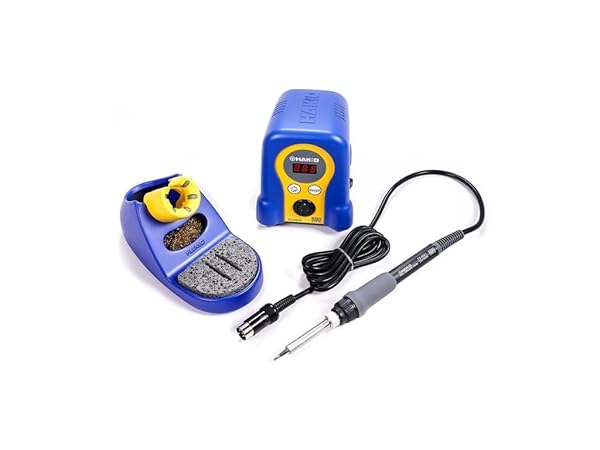 Best Overall
Hakko FX-888D Digital Soldering Station
10) The “right” station depends on what you solder
- Keyboards, wires, connectors: recovery + medium chisel tips
- Fine-pitch SMD: stable control + bevel tips + good stand
- Ground planes / shield cans: high recovery, larger tips, sometimes preheat
What I’d buy in 2026 (by budget)
Not everyone wants the same thing, so here’s the sane way to tier it:
Budget: “I want a real station, not a toy”
Look for:
- reliable temperature regulation
- common tip ecosystem
- a stand you don’t hate
This tier is perfect for through-hole, wires, and occasional SMD.
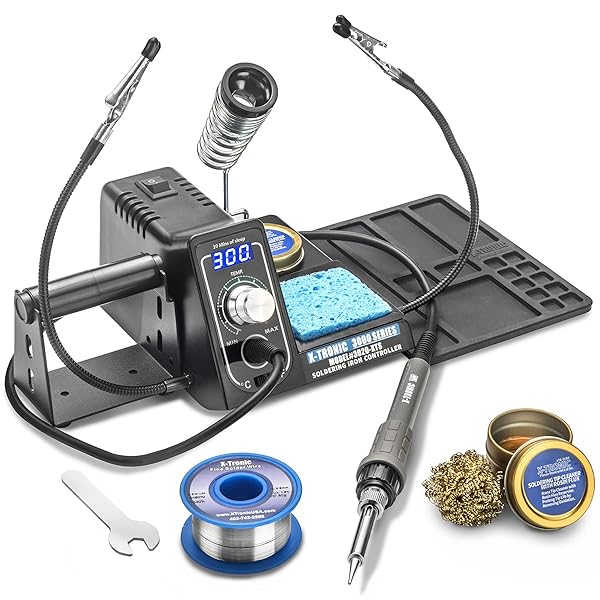 Best Budget
X-Tronic Model 3020-XTS LED Soldering Station
Midrange: “I solder often and want it to feel effortless”
Look for:
- faster heat-up and recovery
- sleep/standby done well
- better handpiece ergonomics
This is where you stop fighting ground planes and start enjoying soldering.
 Best Value
Weller WE1010NA Soldering Station
Prosumer/Pro: “I do SMD/rework and time is money”
Look for:
- cartridge systems with rapid response
- excellent tip availability across many geometries
- robust stands and accessories
This tier isn’t about bragging rights — it’s about consistency and speed.
 Best for Hobbyists
YIHUA 939D+ Digital Soldering Station
Common mistakes (and fixes)
- Using a needle tip for everything: switch to a chisel; most joints get easier instantly.
- Running too hot to compensate for a small tip: use a larger tip and more flux first.
- Never tinning the tip before sleep: always leave a small solder bead on the tip before parking.
- Dry sponge only: use brass wool primarily; sponge is for occasional wipe.
- Blaming the station for bad joints: check your flux, tip cleanliness, and contact time.
Decision checklist (fast)
- What do you solder most: wires/through-hole, mixed, or lots of SMD?
- Do you regularly hit ground planes/connectors (high thermal mass)?
- Do you want cartridge performance (faster recovery) or classic tips (cheaper ecosystem)?
- Can you easily buy replacement tips in your region?
- Is the station ESD-safe + grounded (if you touch ICs)?
- Does it have auto-sleep (to save tips and sanity)?
- Does the stand feel safe and stable?
- Are there tip shapes you’ll want later (bevel, knife, hoof)?
Sources
- NASA — Workmanship Standard for Soldered Electrical Connections (process, cleanliness, joint quality): https://standards.nasa.gov/standard/nasa/nasa-std-87393
- IPC — J-STD soldering training/cert overview (high-level process expectations for electronic assemblies): https://www.ipc.org/training/certifications/j-std-001
- Hakko — tip care guidance (oxidation, tinning, cleaning practices): https://hakkousa.com/support/tips.html
- JBC — cartridge/tip system overview (heater + sensor integrated for fast recovery concepts): https://www.jbctools.com/cartridges-c-11.html
- Weller — soldering basics (temperature, tip selection and maintenance guidance): https://www.weller-tools.com/us/en/education/soldering