M4 Mac Mini Review (2026): The Best Sub-$800 Desktop You Can Buy
The M4 Mac Mini is quieter, faster, and finally has a front USB-C port. After months as a daily driver for software development and content creation, here is the real verdict.
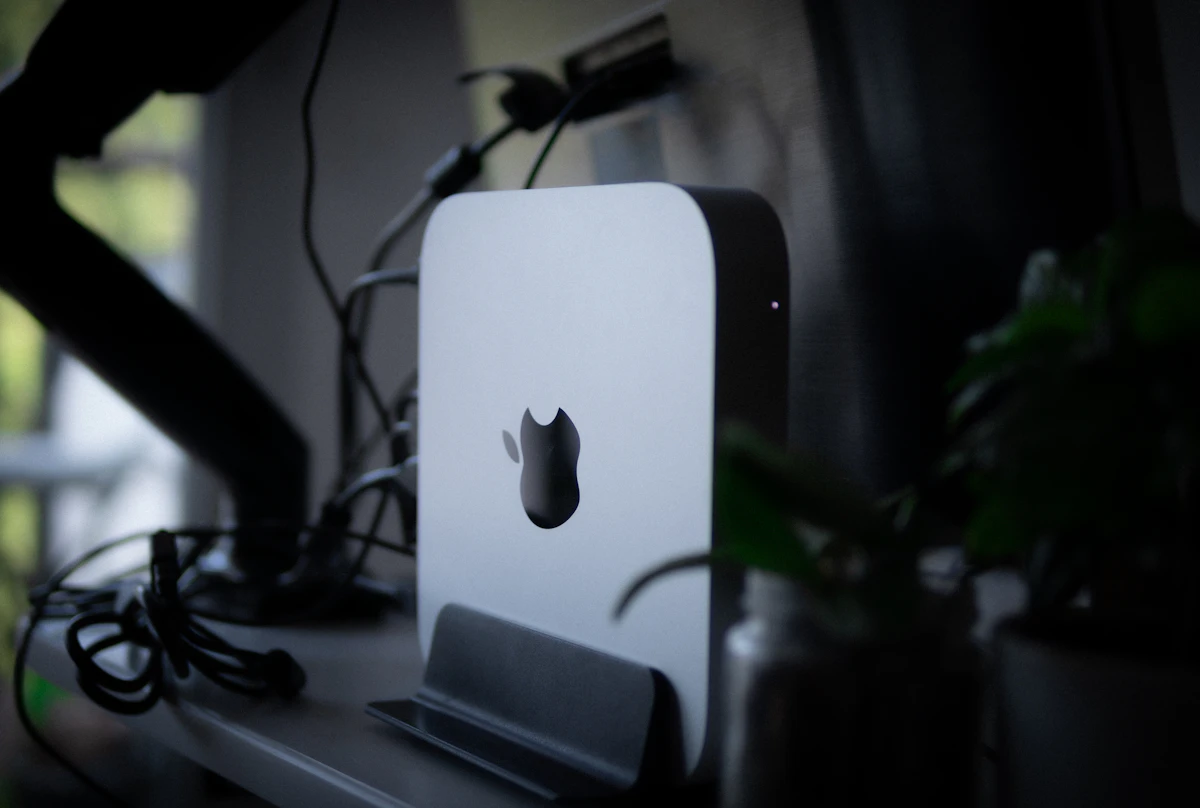
Apple had the courage to fix one of the Mac Mini's most annoying problems with the M4: there is now a USB-C port on the front. It took about fifteen years, but here we are.
That small change is a good metaphor for the M4 Mac Mini overall. It is not a revolutionary product. It is the M3 Mac Mini which was already excellent with a faster chip, meaningfully better GPU performance, a smarter port layout, and the ability to drive three external monitors instead of two.
For most people shopping for a compact desktop in 2026, nothing else comes close at this price.
SolderMag Take: The RAM decision is easier now
The M3 era forced a painful choice: 8GB felt tight for real work, but jumping to 16GB cost a significant premium. Apple fixed this quietly: the M4 Mac Mini starts at 16GB RAM. There is no 8GB base config anymore.
That changes the calculus entirely. The $599 base model is now a genuinely capable machine for most professional workflows, not a frustrating minimum-spec compromise you will regret in twelve months.
What actually changed from M3 to M4
CPU performance: The M4 chip offers roughly 20-25% better single-core speed versus M3. For builds, compiles, and single-threaded tasks, you will notice it. For web browsing and documents, you will not.
GPU performance: Roughly 35-40% faster than M3. Not enough for AAA gaming or serious ML training, but enough that video export, Lightroom adjustments, and DaVinci Resolve colour work feel noticeably snappier.
Front USB-C port: Finally. One Thunderbolt 4 port on the front. Plugging in a drive without reaching behind the machine is no longer a minor exercise in frustration.
Three display support: The M4 supports three external displays simultaneously, up from two on M3. Two via Thunderbolt at the back, one via HDMI.
Same thermal profile: The M4 runs cool and quiet. Fan behaviour is essentially identical to M3.
Ports (finally a proper layout)
Back panel:
- 3x Thunderbolt 4 (USB-C) - up from 2 on M3
- 2x USB-A (3.2 Gen 2)
- 1x HDMI 2.1
- 1x Gigabit Ethernet (upgradeable to 10GbE at checkout)
- 1x 3.5mm headphone jack
Front panel (new for M4):
- 1x Thunderbolt 4 (USB-C)
- 1x USB-C (USB 3.2 Gen 2)
Real-world performance: development
- Next.js dev server cold start: under 2 seconds
- npm install on a medium monorepo: 45 seconds
- TypeScript build (large project): approximately 30% faster than M3
- Runs Postgres, Redis, and a Python API simultaneously without overhead
- VS Code + 20 tabs + Slack + Docker peaks at 11-13GB RAM
- 16GB is comfortable for most dev workflows; 24GB recommended for JetBrains + heavy Docker
Real-world performance: creative
Final Cut Pro: 4K ProRes editing is smooth. Export times improved noticeably over M3.
Adobe Lightroom Classic: Culling and edits on 45MP RAW files feel immediate. AI masking responds faster than on M3.
DaVinci Resolve: Handles 4K timelines confidently. Heavy Fusion work and grading will push limits. M4 Pro is the right choice if Resolve is your primary tool.
Blender Cycles: Faster than M3 but not a GPU rendering machine. Use cloud compute for serious 3D.
Config guide
$599 - M4, 16GB RAM, 256GB SSD
Best for light development and general productivity. Storage is tight for media-heavy work.
$799 - M4, 16GB RAM, 512GB SSD
The sweet spot for most users. Recommended starting point.
$1,099 - M4, 24GB RAM, 512GB SSD
For developers running heavy containers, video editors, or anyone who has previously hit memory pressure.
$1,399+ - M4 Pro, 24GB RAM
For professional video, ML inference, demanding multi-display setups, or sustained heavy workloads.
What it cannot do well
- ML model training: Use cloud GPUs
- Heavy 3D rendering: Go M4 Pro minimum
- Multiple simultaneous VMs: 24GB buys significant headroom
- PC gaming: Not a gaming machine
Should you upgrade from M3?
Only if you need the GPU improvement, the third display output, or the front USB-C port. CPU gains are real but not urgent.
Coming from M1 or M2: Yes, the compound improvement is significant. Coming from Intel: Absolutely yes.
Decision checklist
- Need macOS? If not, a Mini PC offers more hardware per dollar.
- Will 16GB be enough? Check Activity Monitor under real workload.
- Need more than three displays? Mac Studio territory.
- Coming from Intel? Upgrade without hesitation.
- Heavy GPU work? Go M4 Pro minimum.
Sources
- Apple M4 Mac Mini technical specifications: https://www.apple.com/mac-mini/specs/
- Geekbench 6 M4 chip benchmark database
- Puget Systems Apple Silicon video editing performance analysis
- Docker Apple Silicon compatibility documentation
- eBay sold listings: Apple Silicon Mac Mini resale data (2025-2026)